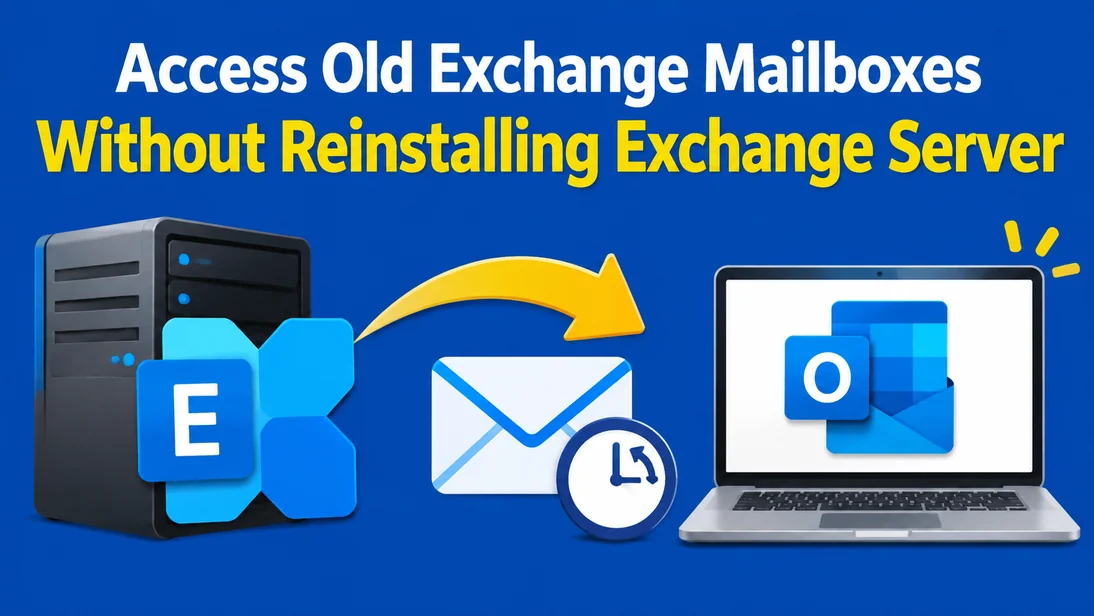
It is very common for IT administrators to be asked to recover a mailbox from an employee who left in the past. This could be due to a legal investigation, an audit, a business conflict, or because a manager requires access to previous messages. However, the Exchange Server where the mailbox was stored may no longer exist, in which case it may have been decommissioned, corrupted, or replaced with Microsoft 365. In these situations, only an EDB file will remain from the Exchange database, which can be found on a backup device.
Traditionally a new Exchange infrastructure would need to be recreated, however this is time consuming and costly. A much more efficient solution is to use an Online EDB to PST Converter to extract mailbox data from the EDB directly. Here we will give you an overview of why the traditional method is problematic, the options available to you, and how quickly you can recover data.
Why Accessing Old Exchange Mailboxes Becomes Difficult
The mailbox data within Exchange databases (EDB files) are very specific to the server that has been used to create them. Unlike standard documents, you cannot simply double click on the EDB file to view its contents, nor can you directly open it in Outlook. Common scenarios which leave organisations with unusable EDB files include:
- Server decommissioning: After a migration to Microsoft 365 or another platform, the old on-premises server is shut down, but mailbox databases are kept for compliance.
- Hardware or OS failure: The server dies, and only the database files survive on a backup.
- Mergers and acquisitions: Inherited infrastructure arrives as raw database files with no matching environment.
- Expired licenses and unsupported versions: The Exchange version in use is end-of-life, and nobody wants to rebuild it.
- Ex-employee data requests: HR or legal teams need historical email from a mailbox that no longer exists in any live system.
In each case, the data remains unchanged but locked inside a format that only a working Exchange environment can interpret.
The Traditional Method of Recovering Old Exchange Mailboxes
Manual recovery of an old EDB file can be achieved via the following steps:
- Install a matching Windows Server and version of Exchange (often including the same patch level).
- Ensure matching Active Directory configuration, Organisation and Server names.
- Ensure clean shutdown – if not then run Eseutil to achieve a clean shutdown.
- Mount as a Recovery Database, and recover mailboxes.
- In the Exchange Management Shell, use New-MailboxExportRequest to export the mailbox to a PST file.
However, this method has consequence:
- Time: Building a lab environment can take days, even for a single mailbox.
- Licensing and hardware: You need server licenses, storage, and compute.
- Expertise: The process demands deep Exchange and Active Directory knowledge.
- Fragility: A database in a dirty shutdown state, a version mismatch, or a missing log file can stop the process cold.
- Command failures: New-MailboxExportRequest can fail or prove unsuitable, for example when the required permissions are not in place or the database cannot be mounted.
For a one-time data retrieval task, this is a heavy price. This is where a purpose-built converter becomes the smarter choice.
A Faster Alternative: Online EDB to PST Converter
This method allows you to convert all the mailboxes within an EDB to PST file format. Since there is no requirement to have Exchange Server, Active Directory or Outlook installed, you can skip rebuilding these systems.
The Online EDB to PST tool from Stellar does this. As stated on the product page, this tool can be used in a browser. It has no size restrictions up to 500MB, no program required to be installed and does not require Exchange Server or Outlook to be installed. Everything is done via the browser.
What You Can Extract
The service extracts the mailbox data stored in your EDB file, including:
- Emails and attachments
- Calendars
- Contacts
- Tasks
- Notes
- Mailbox folders, with the available folder structure kept intact
This matters because a mailbox is more than its emails. For legal discovery or business continuity, preserving the folder hierarchy and the surrounding data keeps the content understandable and usable.
Supported Exchange Server Versions
EDB files from Exchange 5.5, 2000, 2003, 2007, 2010, 2013, 2016, 2019, SE can be converted using this tool. It is platform independent, so if you have an EDB file from an old or new server you do not need to recreate the exact environment from which it was taken
How to Access Old Exchange Mailboxes Using an Online EDB to PST Converter
There are three steps involved in converting your EDB file.
- Upload Your EDB File: Navigate to the Stellar Online EDB to PST Conversion tool and select ‘Convert EDB File’. Log in to your account and upload your database. Your files will be transferred securely.
- Convert: The EDB will be converted in an automated process. The time taken to convert the file may vary but generally takes less than 15 minutes. This can depend on the file size and amount of mailbox data.
- Review & Download: After conversion you will be able to review the folders and number of items in each folder. Once completed, the converted mailboxes can be downloaded. Each mailbox will be in a PST file inside a ZIP folder. PST files can be opened in Microsoft Outlook, added to another mailbox or archived.
The preview step deserves emphasis. Confirming that the mailbox you need is present and populated before you commit to a download saves time and avoids surprises.
Advantages of online EDB to PST conversion
No Exchange Infrastructure or Installation Required
You do not need to install Exchange Server or Outlook. With this tool, all you need is a modern browser like Chrome, Edge, Firefox or Safari and an EDB file.
Original EDB File Remains Unchanged
As this tool does not edit the original EDB file, you can convert securely. In case where this is the only copy of data history, you can safely convert using this tool and retain it as backup.
An Alternative When New-MailboxExportRequest Fails
In situations where the New-MailboxExportRequest method may be failing, or not suitable, this tool extracts mailbox data from your compatible EDB file directly. This means that it is a useful alternative method for exporting mailbox data.
Suitable for Different Mailbox Recovery Scenarios
Common uses include:
- Archiving Exchange mailboxes as PST files for retention and offline access
- Extracting individual mailboxes from an old database when the original environment is unavailable
- Responding to legal or compliance requests for a former employee’s data
- Retrieving legacy mailbox data after a migration is complete
Data Privacy and Security
Data is sent securely. All files will automatically be removed from the server after 24h (free plan) or 48h (Premium plan). Please check our privacy policy to ensure that it matches your company requirements. If sensitive data is transferred through this mailbox, please make sure that the privacy policy is appropriate.
Online EDB to PST Converter Plans and Pricing
Not every EDB file is the same size, so Stellar offers three tiers:
| Option | Best For | Key Limits |
|---|---|---|
| Free Online Service | Small databases | EDB files up to 500 MB, one file per session, download within 24 hours |
| Premium Online Service | Mid-sized databases | EDB files up to 5 GB, 10 mailboxes for $99.99, download within 48 hours |
| Desktop Software (Stellar Converter for EDB) | Large or multiple databases | No file size limit, up to 500 mailboxes, works offline, $399 per year |
The Desktop edition goes further. It processes files locally, with no uploading to the cloud, and can export mailbox data to PST, live Exchange, or Microsoft 365. If your EDB is larger than 5 GB, if you have several databases, or if your security policy forbids uploading data to external servers, the desktop software is the better fit.
Final Thoughts
Just like restoring an entire Exchange Server just to access one mailbox, converting a single mailbox is very time consuming and generally not a sensible task. By using an Online EDB to PST Conversion tool however, you can convert the data within your EDB file to the PST file format with just a few clicks. This can be done without requiring any servers, Outlook applications or specialist configuration.
Choose from either the free conversion tool (for smaller sized EDB files), the premium version of the program (up to 5GB) or the desktop application (if larger files, volumes of files or data handling policies are required). In any case, you can continue to access historical mailboxes even if the original servers on which they were stored no longer exist.
Frequently Asked Questions (FAQs)
1. Do I need Exchange Server/Outlook?
No. The tool can be used directly in a browser. All that is required to convert the EDB file is an internet connection and the EDB file.
2. Does converting an EDB file alter the actual database?
No. The original EDB database is not altered during this process. Thus, you can retain it as a backup.
3. What is the maximum size of EDB file that can be converted using the online tool?
Using the free version, you can convert EDB files of size up to 500MB. Using the Premium version, you can convert EDB files of size up to 5GB. If you have large size EDB files to convert, or multiple EDB files to convert, we recommend using the Desktop application where there is no restriction on file size.
4. Can I view mailbox content before downloading PST files?
Yes. After conversion, you can view the mailboxes and folders in the mailboxes along with the count of items in each mailbox. The PST files are provided, however, as individual files in a zipped folder.
5. What if New-MailboxExportRequest fails to export the mailbox?
If you cannot successfully export mailboxes using the built-in PowerShell command, or it is not suitable for you, you can avoid this step. Simply upload a supported EDB file to the tool. It will extract mailbox data and allow you to download the data as PST files. There is no need to mount the database in a live exchange environment.