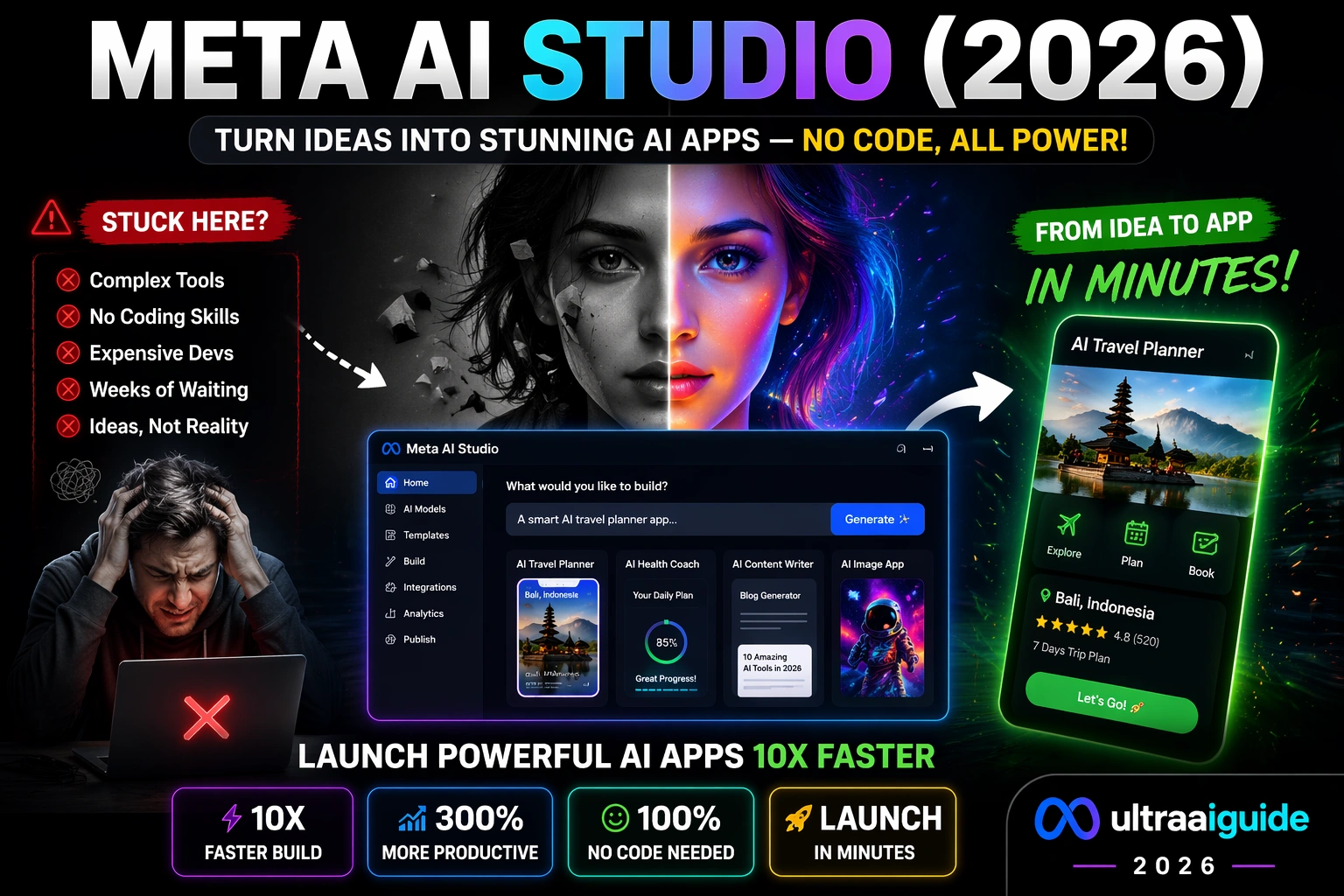
Meta AI Studio (2026 Guide) — Features, Tutorial, Use Cases & Hidden Power Unlocked
So Meta AI Studio (2026 Guide) is a platform to build, test, and deploy AI tools fast. Meta AI Studio (2026 Guide) — confused about features, setup, and real use cases? This guide reveals step-by-step tutorials and practical examples. And expert tips to help you create smarter AI workflows quickly, and avoid common mistakes. And unlock hidden capabilities most users miss today. Artificial intelligence in 2026 is no longer just about asking a tool a question and hoping for a useful answer.
What is Meta AI Studio, and why is everyone talking about it in 2026?
The real shift is toward building AI experiences that feel contextual, useful, and aligned with a specific goal. That is the core idea behind Meta AI Studio. A product in Meta’s AI ecosystem that is designed to help people create conversational AIs for entertainment. Productivity, support, and other practical use cases. Meta also positions AI Studio inside a broader AI stack that includes Meta AI, AI research, and developer tooling around open large language models.
This guide is written for readers who want more than a surface-level explanation. You will get a clear definition of Meta AI Studio, a practical walk-through of how to think about it, a deeper comparison with ChatGPT and Google’s AI platform, and a European privacy section that keeps GDPR considerations in view. Where the public product pages are still evolving, I will stay precise and avoid pretending the platform does more than Meta has publicly documented.
What is Meta AI Studio?
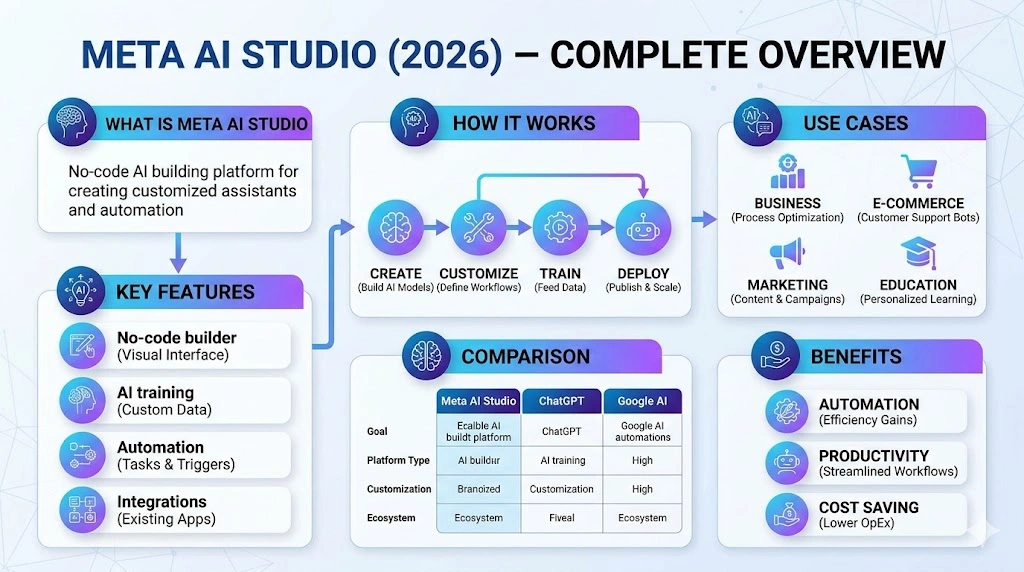
Meta AI Studio is Meta’s creation surface for building conversational AI experiences. Meta’s own public wording is straightforward: it lets you create conversational AIs that reflect your interests and imagination, whether the purpose is entertainment, productivity, support, or exploring new possibilities. That wording matters because it tells us what Meta is prioritizing right now: not just general chat, but customized conversational experiences that can serve a purpose.
A useful way to understand AI Studio is to place it inside the larger Meta AI ecosystem. Meta’s AI homepage, AI products pages, and developer pages show that Meta is investing in consumer AI, open models, and developer-facing model creation. In other words, AI Studio is not an isolated toy; it sits next to Meta AI itself and alongside the company’s broader model and developer strategy.
A second helpful lens is semantic: Meta AI Studio is less about “prompting a chatbot” and more about “shaping a conversational entity with a defined purpose.” That distinction is important for SEO, product strategy, and content planning because people searching for Meta AI Studio are usually looking for creation, configuration, and practical use, not just definitions. The product page’s language around productivity and support strongly supports that reading.
Why Meta AI Studio Matters in 2026
The reason Meta AI Studio matters is simple: the market is moving from generic AI interactions toward structured AI experiences. Meta’s AI pages in 2026 show active investment in new AI products, model families, and creation tools, which suggests a strategic push toward user-facing AI experiences and developer tooling at the same time. That broader direction makes AI Studio relevant to creators, marketers, teams, and businesses that want repeatable AI interactions rather than one-off prompts.
Meta is also signaling that its AI platform is tied to open model creation. On the developer side, Meta says it is enabling custom model creation using its open large language models. On the consumer side, Meta AI is framed as a personal AI assistant for asking, chatting, creating, and more. Put together, this suggests that AI Studio exists in a world where creation, personalization, and customization are first-class themes.
For businesses, that matters because a conversational AI can absorb repetitive information-heavy interactions such as support questions, onboarding guidance, internal knowledge lookup, and lightweight qualification flows. Meta’s public language does not say “workflow automation platform” in the way some third-party blogs do, but the emphasis on productivity and support makes those business cases a reasonable inference.
How Meta AI Studio Works
At a conceptual level, Meta AI Studio works like a guided conversation design layer on top of Meta’s AI ecosystem. You define the purpose of the experience, shape the behavior, and create a conversational asset that reflects a specific goal or style. Meta’s public product description does not disclose a full technical architecture on the accessible page, so the safest interpretation is that AI Studio is a user-facing creation tool that packages Meta’s AI capabilities into a conversational format.
A practical mental model looks like this: a user starts with intent, configures the AI experience, and then deploys that experience for a specific audience or task. That sounds simple, but it is a powerful content framework because it moves the discussion away from “AI as a novelty” and toward “AI as a repeatable interaction design system.” Meta’s own positioning around productivity and support fits that model well.
If you are comparing Meta AI Studio to broader AI platforms, it helps to note the ecosystem differences. Google Cloud’s Vertex AI is explicitly described as a fully managed, unified AI development platform for building and using generative AI, with Vertex AI Studio and Agent Builder built in. OpenAI’s ChatGPT, by contrast, is positioned as a direct conversational product with plan tiers that include custom GPTs, deep research, memory, and agent mode. Meta AI Studio sits closer to the “create a conversational experience” side of the spectrum than to a general-purpose enterprise cloud AI stack.
Key Features of Meta AI Studio
The biggest feature is the simplest one: Meta AI Studio is built for creating conversational AIs. That means the user experience is centered on designing a digital persona or assistant that feels purposeful rather than random. Meta’s wording around “interests,” “imagination,” “productivity,” and “support” is the clearest evidence of how it wants the product to be understood.
Another important feature is its placement in a fast-moving product ecosystem. Meta’s AI landing pages show AI Studio alongside Meta AI and other AI-related products and research areas, which means the platform benefits from continual changes around models, assistant experiences, and creation tools. In practical terms, this is a good sign for long-term relevance, even though the exact feature set may continue to evolve.
The third feature is strategic rather than technical: Meta is clearly investing in open-model direction. Its developer page says it is enabling custom model creation with its open large language models, and its model pages highlight Llama releases across 2024 and 2025. For creators and businesses, that matters because it suggests the platform family is designed to support customization rather than remain locked into a single interaction pattern.
A fourth feature is access control. The public AI Studio page is currently surfaced as a login-gated page in the search snapshot, which tells us the experience is account-based rather than fully open web access. That is not unusual for a creator tool, but it does matter for planning content, onboarding, and user expectations.
How to Use Meta AI Studio
The exact interface may change over time, but the process can be understood in a clean, beginner-friendly sequence.
1) Start with a clear use case
Do not begin with “I want an AI.” Begin with a job. For example: support helper, product explainer, onboarding guide, or creative assistant. Meta’s own framing around productivity and support is a strong hint that purpose-first design is the right approach.
2) Define the conversational role
Decide how the AI should speak and what kind of outcomes it should produce. Should it be concise, formal, friendly, or educational? Should it help users explore ideas, answer common questions, or guide them through a process? This is where the semantic layer matters: a clear role reduces ambiguity and improves response consistency. The better the role definition, the easier it is to keep the experience aligned with your audience.
3) Shape the experience around the user’s intent
Think in terms of user intent clusters. Someone interacting with a support-focused AI usually wants speed, clarity, and trust. Someone using a productivity-oriented AI wants low friction and practical outputs. Meta’s public description specifically includes productivity and support, which makes intent design central to how the tool should be used.
4) Test the conversation paths
A useful AI experience is not the one that sounds smartest; it is the one that handles real user questions well. Test obvious questions, vague questions, edge cases, and misdirected questions. That is how you evaluate whether the experience is useful at scale rather than merely impressive in a demo. This principle also aligns with the broader AI product design pattern used by more mature platforms such as Google Vertex AI Studio and OpenAI’s ChatGPT ecosystem.
5) Refine and relaunch
Treat the first version as a draft. As with any AI experience, the quality improves when you iterate on intent coverage, expected questions, and the clarity of the responses. This is where SEO and AI product strategy meet: the same way good content is refined by search intent, good AI experiences are refined by conversational intent.
Real-World Use Cases of Meta AI Studio
One of the strongest use cases is support. Meta explicitly mentions support in its public description of AI Studio, which makes customer-facing conversational help a natural fit. For businesses, that means answering routine questions, guiding users, and reducing repetitive manual interactions.
Another strong use case is productivity. A productivity-oriented conversational AI can organize ideas, summarize guidance, provide quick explanations, and help users move through repetitive knowledge tasks faster. Meta’s language around productivity permits you to think in this direction without overcomplicating the product narrative.
A third use case is creative exploration. Meta’s copy explicitly includes “exploring new possibilities,” which means AI Studio is not limited to strict business utility. Brands, creators, educators, and community builders can use that flexibility to design playful or exploratory interactions that still feel on-brand.
A fourth use case is internal knowledge assistance. While Meta does not publicly describe AI Studio on the accessible page as an enterprise knowledge platform, its purpose-driven conversational nature makes it a logical fit for teams that need guided answers to recurring questions. That is an inference, but it is a reasonable one based on the product positioning.
A fifth use case is content ideation. Because Meta’s ecosystem also includes Meta AI as a personal assistant for asking, chatting, creating, and more, users can think of AI Studio as part of a broader workflow where ideation, drafting, and interaction design blend together. That broader context is one reason the product deserves attention in 2026.
Meta AI Studio vs ChatGPT vs Google AI
A practical comparison starts with positioning. Meta AI Studio is about creating conversational AIs within Meta’s ecosystem. ChatGPT is a direct consumer and business assistant with plan-based access to capabilities like custom GPTs, deep research, memory, and agent mode. Google’s Vertex AI is a managed enterprise platform for building and deploying generative AI apps and agents, with Vertex AI Studio and Agent Builder under one roof.
In terms of product personality, ChatGPT is the most straightforward end-user assistant. OpenAI’s pricing page makes that obvious by organizing value around everyday tasks, reasoning, uploads, image creation, custom GPTs, tasks, and memory. That makes ChatGPT ideal when the user wants a powerful general assistant rather than a Meta-specific conversational experience.
Google’s AI stack is more infrastructure-like. Vertex AI is described as a fully managed, unified AI development platform, and Google Cloud emphasizes production-ready agents, secure environments, and development tools such as Vertex AI Studio and Agent Builder. That makes it a strong option for teams that want enterprise process control and broader model experimentation.
Meta AI Studio is best understood as the more focused conversational creation layer. It is useful when your goal is not just “use AI,” but “shape a conversational AI experience with a specific purpose.” That is why Meta’s wording around productivity, support, and imagination is important: it signals a guided creation product, not just a generic assistant.
What This Means for Europe in 2026
European users should think about privacy from the start, not as an afterthought. GDPR.eu summarizes the GDPR as Europe’s data privacy and security law, and it explains that the regulation applies to personal data, meaning information relating to an identifiable person. That makes any AI workflow involving customer data, employee data, or user-submitted content a privacy-sensitive activity.
The practical implication is simple: avoid placing sensitive personal data into AI workflows unless you have a lawful basis, the right controls, and a clear purpose. If your Meta AI Studio use case is public-facing or customer-facing, your privacy copy, data handling policy, and retention rules should be reviewed with GDPR in mind.
Europe also tends to reward tools that reduce complexity and improve multilingual communication. That is one reason AI experiences matter so much in the region: businesses need repeatable support and clear communication across markets. Meta’s emphasis on productivity and support fits that demand pattern, even if the company has not publicly published a region-specific AI Studio strategy on the page we can access.
Advanced Strategies for Better Results
The first advanced strategy is intent mapping. Group the questions your audience actually asks and design the AI around those clusters. This is the same logic used in high-performing SEO content: the page wins when it matches search intent cleanly. In AI Studio, the same principle helps the conversation stay coherent and useful.
The second strategy is personal discipline. Give the AI a role that is narrow enough to be credible. A “support specialist” should not act like a comedian. A “productivity assistant” should not drift into vague philosophy when the user wants a fast answer. The more consistent the persona, the more trustworthy the interaction feels.
The third strategy is workflow pairing. Meta AI Studio can be thought of as one layer in a larger content and support system. When paired with knowledge bases, CRM processes, or lead qualification flows, a conversational AI becomes more than a novelty; it becomes a process multiplier. That is an inference, but it follows logically from the platform’s productivity and support positioning.
The fourth strategy is analytics-driven iteration. Review where conversations fail, where users repeat themselves, and which topics need better handling. Then update the experience based on that evidence. This is exactly the kind of iterative improvement model that mature AI platforms encourage, including Google’s Vertex AI and OpenAI’s ChatGPT ecosystem.
Best Practices for Meta AI Studio
Keep the scope focused. A focused AI is easier to understand, easier to trust, and easier to improve. Meta’s own language suggests that purpose is central to the product, so your best results will come from a single strong use case rather than an all-purpose design.
Use clean source material. Whether the conversation is about support, productivity, or exploration, the AI should reflect accurate, current, and understandable information. In any AI workflow, quality in equals quality out, and that holds especially true for conversational systems.
Keep the tone aligned with the audience. A customer support assistant should be calm and direct. A brand companion can be warmer and more expressive. Since Meta frames AI Studio as a place to create conversational AIs that reflect your imagination, tone control is a major part of the craft.
Test on real user questions, not only perfect prompts. Users rarely ask exactly what you expect. The best AI experiences survive incomplete questions, shorthand, and ambiguity. That is one reason broad platforms like ChatGPT and Vertex AI continue to matter: they are built around real-world variability, not just controlled demos.
Do’s and Don’ts
Do keep the experience simple, purposeful, and easy to understand.
Do make privacy and data handling part of the design process.
Act as if the first version as a starting point, not a final product.
Do not assume every AI experience should be broad.
Do not overload the system with ambiguous goals.
Make not place sensitive personal data into an AI workflow without a real compliance review, especially in the EU.
Pricing and Access: What We Can Say Publicly
At the moment, the accessible public snapshot for Meta AI Studio shows a login-gated page, and Meta does not display a visible public pricing grid on the snapshot we can see. That means the safest statement is that access and pricing are currently account- or product-state dependent rather than clearly advertised on the public-facing page snapshot.
That is different from OpenAI, whose pricing page publicly lays out Free, Go, Plus, Pro, Business, and Enterprise tiers, and different again from Google Cloud, which publicly frames Vertex AI with free credits for new customers and a more explicit cloud pricing model. These differences matter because they affect how quickly a buyer can evaluate the tool.
FAQs
The public snapshot I could verify does not show a clear pricing table. Meta’s AI Studio page is login-gated in the accessible result, so the correct answer is that current access and pricing should be checked on the live product page rather than assumed from outdated blog posts.
Meta’s public AI Studio wording emphasizes creating conversational AIs rather than writing code in the product description, which we can verify. That said, the amount of technical skill required may depend on your goal, your workflow, and how deeply you want to customize the experience.
Yes, business use fits the product’s public positioning. Meta explicitly mentions productivity and support, which makes business-oriented conversational experiences a natural fit.
They solve different problems. ChatGPT is a general-purpose assistant with clear plan tiers and features such as custom GPTs, memory, uploads, and agent mode. Meta AI Studio is more about creating conversational AIs inside Meta’s ecosystem. So ChatGPT is stronger for direct assistant use, while Meta AI Studio is stronger when your goal is to build a purpose-specific conversational experience.
Support-heavy and knowledge-heavy industries benefit first: e-commerce, service businesses, education, content teams, and product-led companies. That conclusion is based on Meta’s public emphasis on productivity and support, plus the broader trend in AI platforms toward conversational assistance and workflow automation.
Conclusion:
Meta AI Studio deserves attention because it reflects a broader shift in AI behavior: from general conversation to purpose-built conversation. Meta’s current public pages show a company investing across consumer AI, open models, and developer tooling, while AI Studio itself is positioned as a way to create conversational AIs for productivity, support, entertainment, and exploration. That makes it relevant not only to creators, but also to businesses that want practical, repeatable AI interactions.
The larger lesson is that the most valuable AI systems in 2026 are not the ones that simply “talk well.” They are the ones that understand intent, maintain a useful role, and serve a real purpose inside a business or creator workflow. If you build around that principle, Meta AI Studio becomes more than a trend keyword; it becomes a strategic asset.